Configuration of Alert Rules
To configure rules, a farmer needs to be subscribed to a module that has rules configured. Please follow the Rule Definition Manual to create your own ruleset.
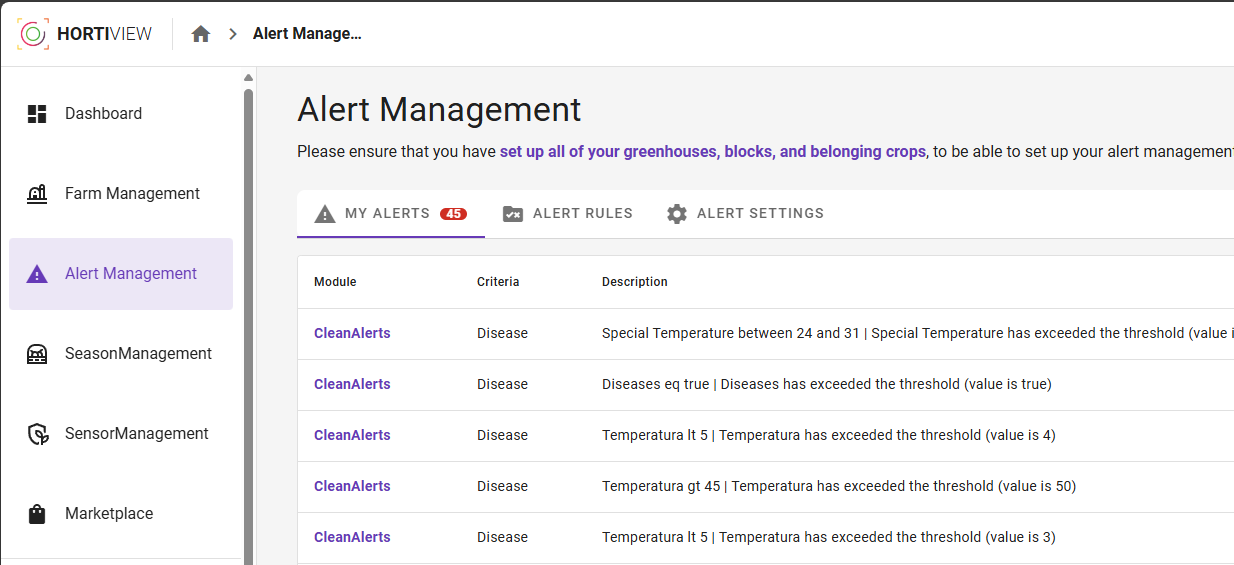
Farmers can navigate to Alert Management via the Dashboard of HortiView:
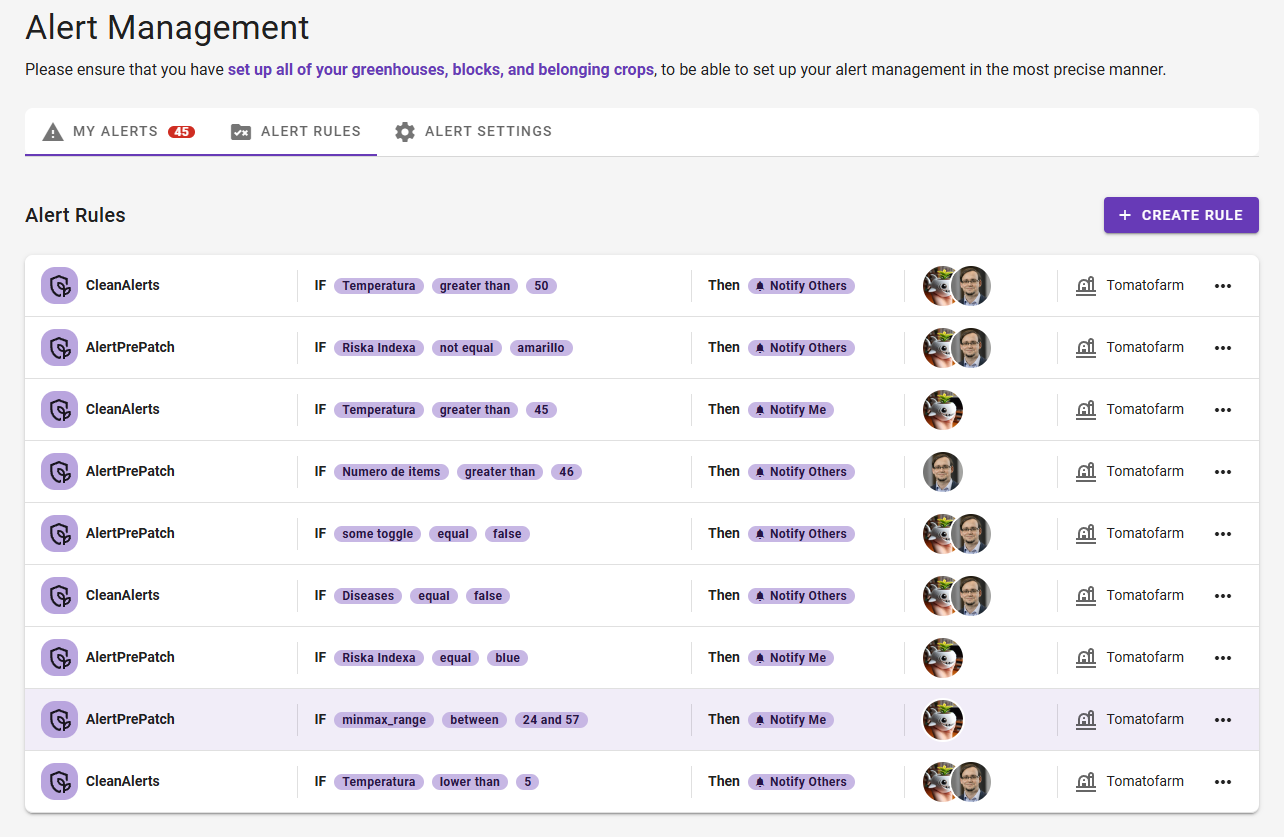
In the second tab ALERT RULES of the tab view, we see an overview of all configured alert rules by the current user. Configured rules can be edited or deleted by the user.
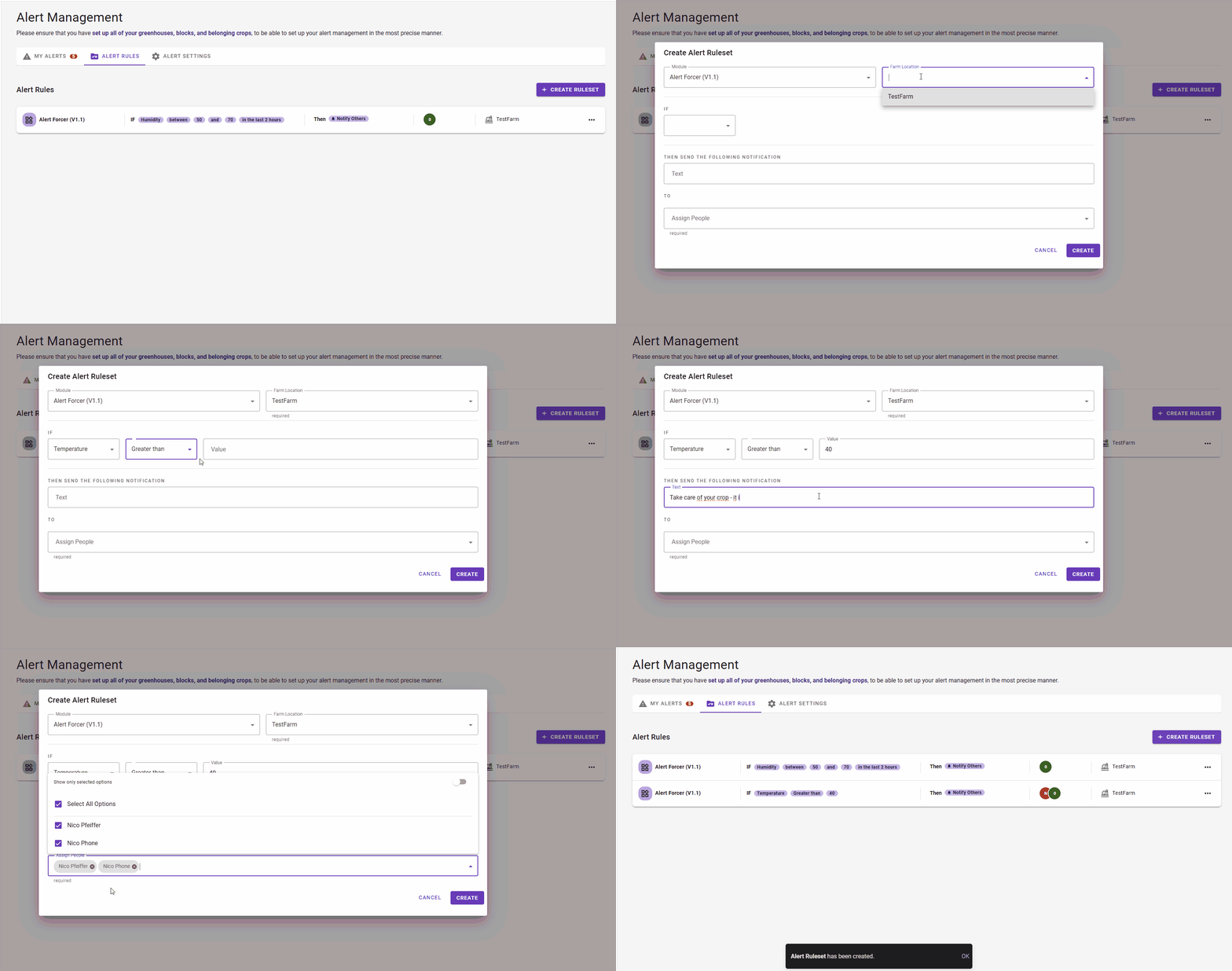
In the top right corner, users can create new rules:
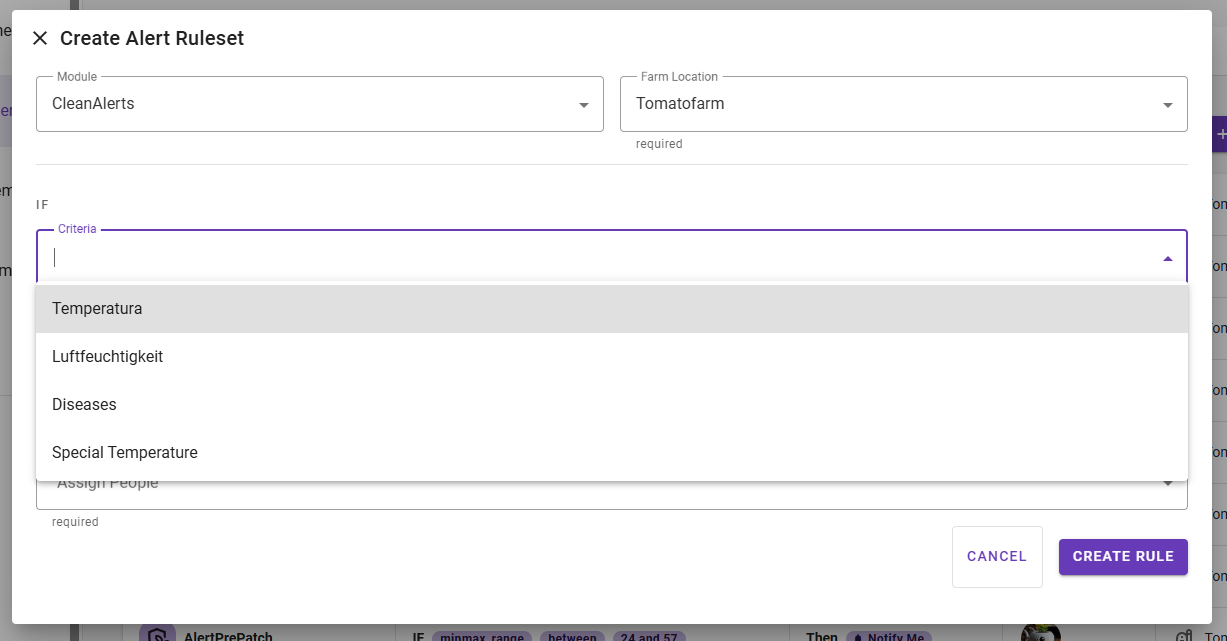
When farmers create a new alert rule and choose your module, it automatically loads the rule definitions, and users are required to select one of your provided criteria:
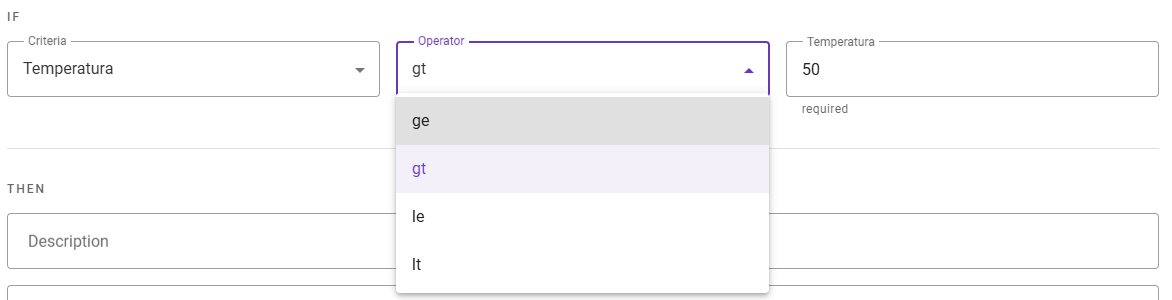
Depending on the selected criteria, the definition is loaded/interpreted by a dynamic rule part. Farmers can now configure the rule based on the logical components (operators, operands, and types) you provided for this criterion:
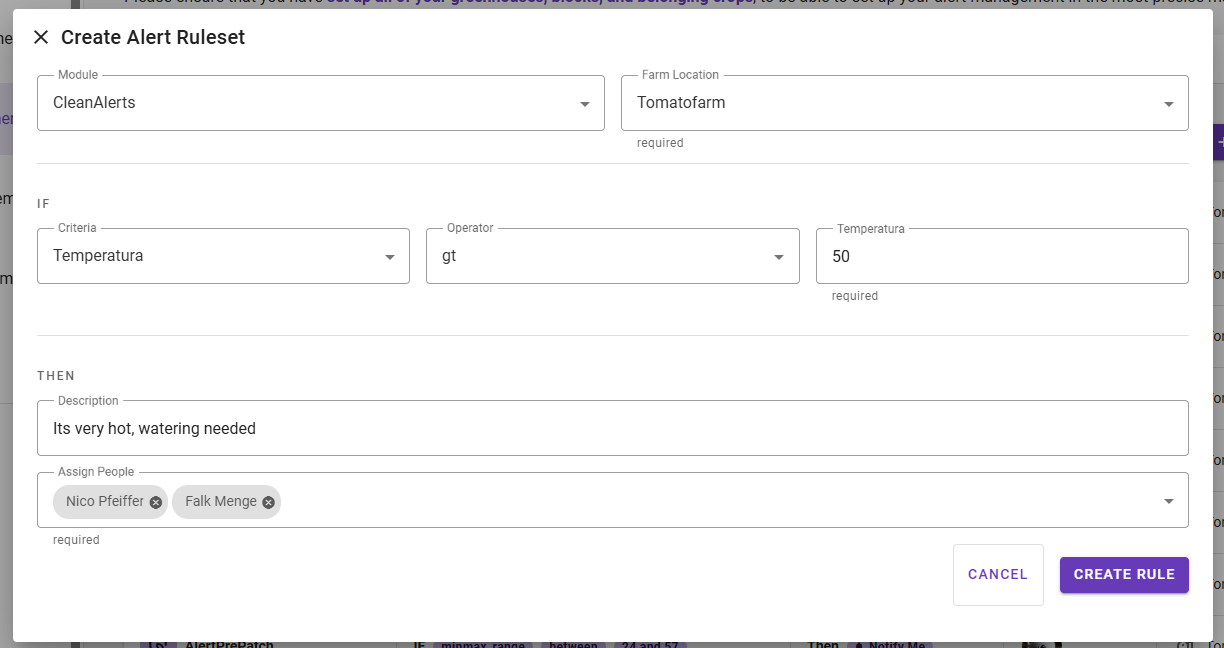
A fully configured rule will look like this:
After the rule is created/saved by the farmer, it can be obtained (with all other rules from other organizations/farms) by the AlertRule-Endpoint1.
-
The Endpoint isn't fully implemented right now. It's not yet available. ↩