Local Debug Module
Vendor Local Debug Component
The local debug module lets a vendor open and test a module running on their local machine inside the HortiView vendor app.
It is intended for local development and debugging, not for production preview.
How to use it
- Start your local module dev server so remoteEntry.js is available at http://localhost:3001/remoteEntry.js.
-
Ensure your local module exposes LocalDebug in its Module Federation configuration.
Example configuration:
-
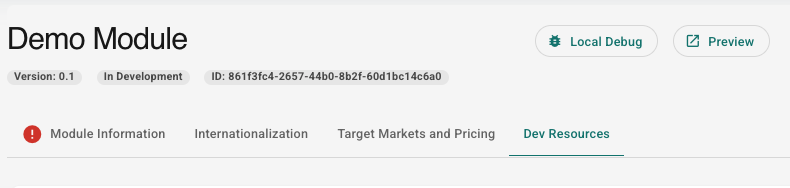
Open the vendor app and navigate to the module local debug area (Dev Resources / local debug entry for your module).
- Grant local network or apps-on-device browser permissions if prompted.
- Verify your local module renders and interacts normally in the vendor shell.
Requirements
- Local module served on localhost:3001 with the expected federation scope and exposed component.
- Browser support for local-network permission checks (or compatible fallback behavior).
Troubleshooting
Blank or error state
Confirm the local dev server is running and remoteEntry.js is reachable at http://localhost:3001/remoteEntry.js.
Permission error screen
Grant local network or apps-on-device permission in the browser and reload the page.
Module does not mount
Verify that the remote exposes LocalDebug and that federation scope matches localDebug.
DevBox Farmer Side
Due to the ability to embed modules at runtime, you can test your modules in the farmer devbox environment before uploading them. This allows you to test the full integration process of your module.
The module will be integrated as a real module would be, giving you access to a modulePermissionToken and, derived from that, the farmer's organization details via the Module API. You can find a local debug module in the marketplace:
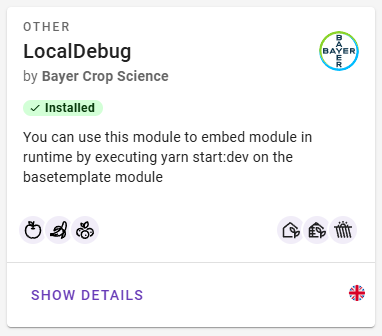
If you use our base template, you just need to run yarn start:dev and you are good to go. If you use your own implementation of module federation, you need to run your module with a module configuration similar to this one:
new ModuleFederationPlugin({
    name: "localDebug",
    filename: "remoteEntry.js",
    exposes: {
        "./LocalDebug": "./src/Template/RemoteTemplate"
    }
}),
It is important that your module is built with a module federation component './LocalDebug', a scope name of 'localDebug', and an entry filename of 'remoteEntry.js'.
Test Environment
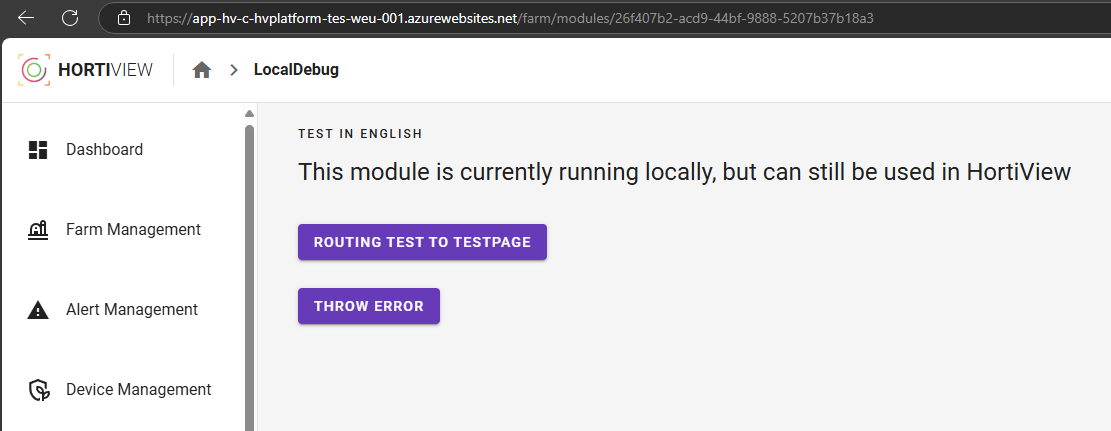
This might not work in the production environment due to some CORS restrictions. After running your module, you should be able to open the Local Debug Module in the HV Platform and see your module: