Module Preview Component (Vendor)
The Preview Component lets you render and test a specific module build in the vendor area before final rollout.
It dynamically loads your module’s exposed component and runs it in a preview route using the current module metadata and token.
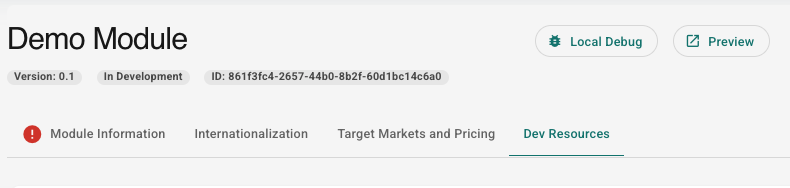
You find the button to open the preview for the current module in the upper right corner, as shown below:
What It Does
When you open a preview for a module, the system:
- Loads the active module information (including module ID, scope, entry file URL, and component name).
- Registers your module as a runtime remote.
- Passes preview props to your exposed component, including:
modulePermissionToken- a preview-specific
basePath:
/vendor/my-modules/<moduleId>/preview
- Renders your latest build from the current module.
Error Behavior
The preview page handles state automatically:
- Missing/invalid module: an error display is shown when no active module is available.
- Ready: your exposed component is rendered once module metadata and props are valid.
Required Module Metadata
For preview to work correctly, the active module should provide:
artifacts(uploaded as a folder)moduleId(used for route and element identity)name(used in page title)scope(remote name)entryFileUrl(remote entry URL)component(exposed component path/name)
If these values are missing or incorrect, preview loading can fail or show an error state.