Preloading of offline capable Modules
For a module to be preloaded it has to meet different technical conditions. Preloading a module means that static assets from the module are being fetched before the user actively accesses the module.
Before preloading a module we check if those conditions are fulfilled:
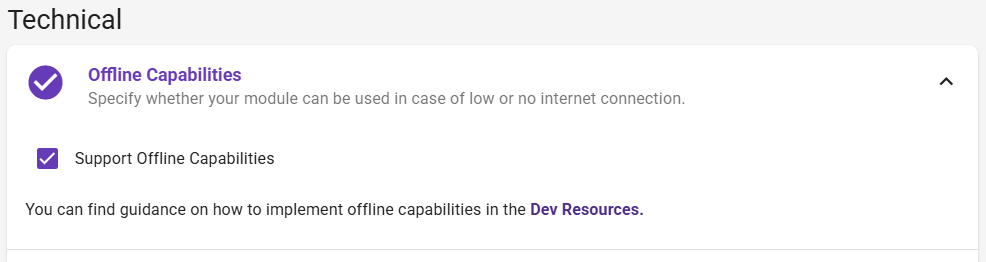
- The module must have the isOfflineCapable flag (set by the vendor during the module creation process)
- If native, the module must be fetched from the same origin to avoid CORS issues
- The build folder must include a mf-manifest.json see this section
If a module meets the required conditions it is preloaded using preloadRemote() and the static assets are stored by a service worker. That is being handled by the main platform.
Creation of a mf-manifest.json
Depending on the framework used to implement a module and the belonging builder, the steps to generate a mf-manifest.json might differ. Documented here are build-tools with which we successfully tested the process.
Working with HortiViews ModuleBase
Vendors that use the provided @hortiview/modulebase do not have implement anything for a mf-manifest.json to be generated. That file should automatically be created during the build process. Please check your build folder - if that file can´t be found please contact our support.
The technical reason why that file is generated is described in the following section.
React + RSBuild
Working with RSBuild makes it possible to use the pluginModuleFederation. That plugin creates a mf-manifest.json by default during the build process.
The plugin is imported to the rsbuild.config.ts. Here is a code snippet of how that might look like:
import { pluginModuleFederation } from "@module-federation/rsbuild-plugin";

export default defineConfig({
  plugins: [
    pluginModuleFederation({
      ...moduleFederationConfig,
      // other options
      manifest: {
        filePath: ".", // destination path of the mf-manifest.json
      },
    }),
  ],
  // other options
});
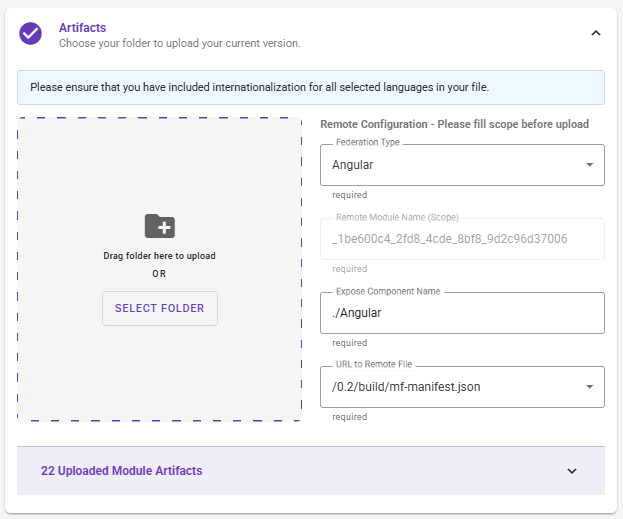
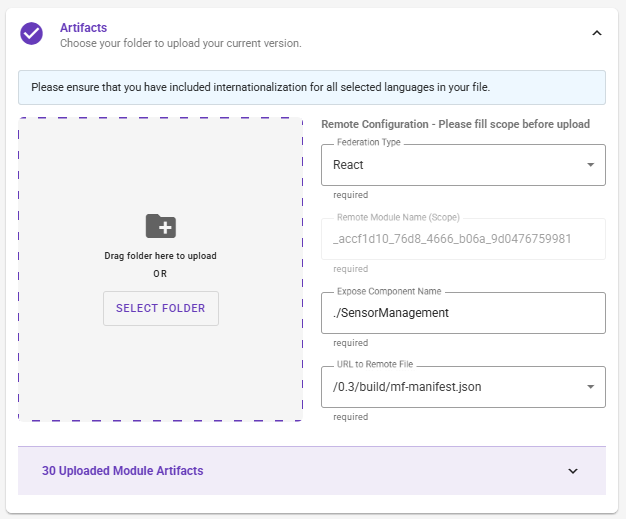
When a module is being created and should be preloaded by the main platform via its mf-manifest.json, it is necessary to provide the mf-manifest.json as the URl to remote file. Below is a picture for reference:
Angular + WebPack
Note: This should not only work with Angular modules. It should work with all frameworks that use WebPack for building. Until now the process has only been tested with an Angular module.
Working with Webpack allows the developer to use the @module-federation/enhanced/webpack package. That package exports the ModuleFederationPlugin.
Important note: If you have been using a ModuleFederationPlugin before you should be able to just replace the old plugin by the new one by adjusting the import.
Using the ModuleFederationPlugin enables default generation of a mf-manifest.json file during the build process. The plugin is integrated into the webpack.config.js. Here is a code example:
const ModuleFederationPlugin = require("@module-federation/enhanced/webpack").ModuleFederationPlugin;

module.exports = {
    // other properties
    plugins: [
        new ModuleFederationPlugin({
            // the modules scope from the artifacts section
            name: "_1be600c4_2fd8_4cde_8bf8_9d2c96d37006",
            filename: "remoteEntry.js",
            // name: the modules scope from the artifacts section
            library: {type: 'window', name: '_1be600c4_2fd8_4cde_8bf8_9d2c96d37006'},
            exposes: {
                './Angular': './src/loadApp.ts',
            },
            // other settings
        }),
        // other plugins
    ],
};
When a module is being created and should be preloaded by the main platform via its mf-manifest.json, it is necessary to provide the mf-manifest.json as the URl to remote file. Below is a picture for reference: